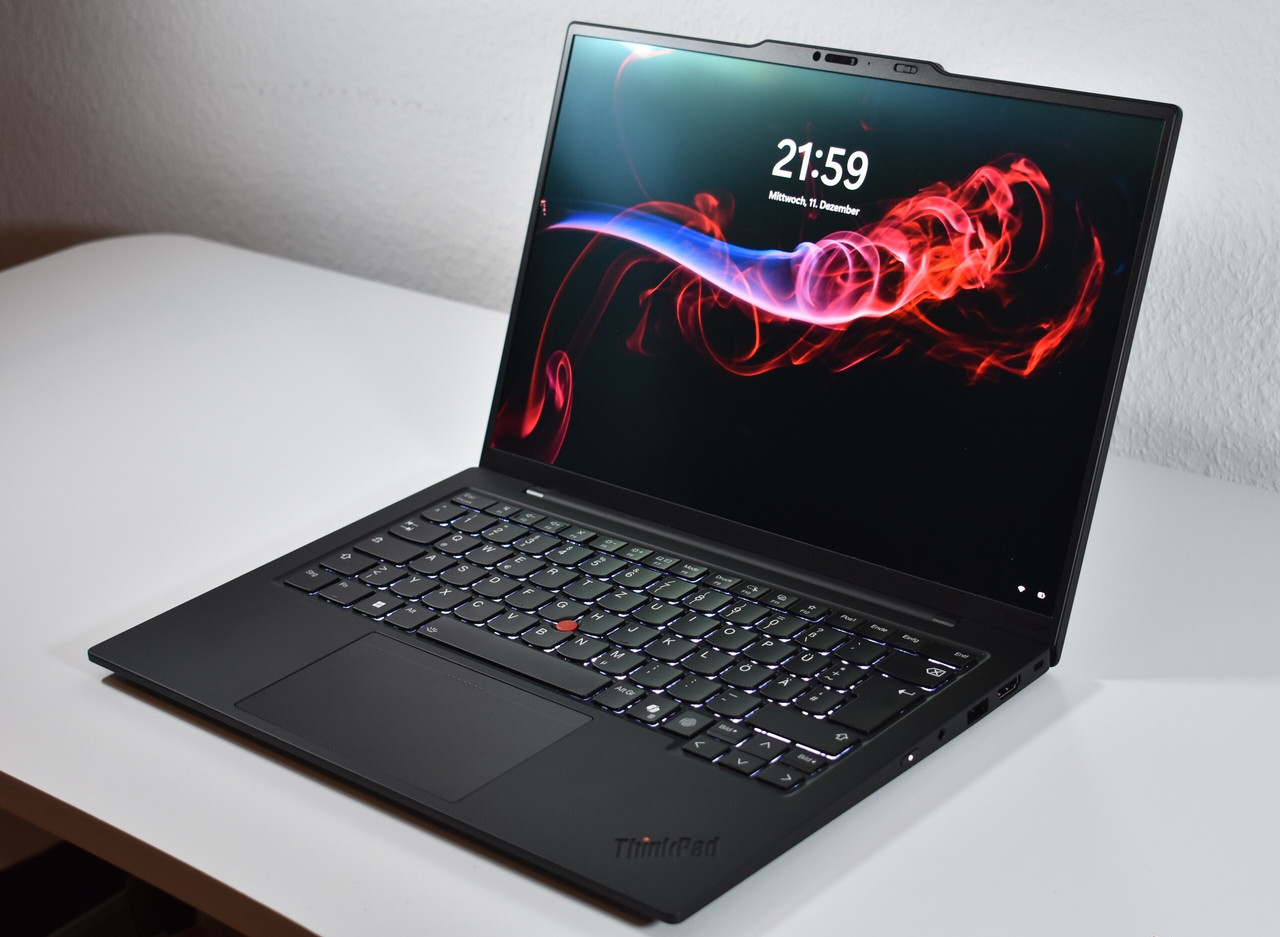
ThinkPad X1 Carbon Gen 13
Sub-1 kg. Stunning OLED display. $1,400–2,300. And a high-pitched fan whine that kicks in under even moderate load.
Everyone praises the build quality and legendary keyboard, but what most reviews don't mention is the persistent fan noise and haptic trackpad issues.
Based on real user experience. Insights from multiple owners, complaints, and field reports across the laptop community.
Watch Out For
Real issues reported by the ThinkPad community. These aren't theoretical problems—they're documented experiences from actual users.
Fan Noise / Coil Whine
High-pitched 8kHz whistling at 5,000-6,500 RPM described as "brain piercing" and "distracting." Fans run constantly above 24°C ambient.
The biggest complaint across the community. Users report an annoying high-pitched fizzing quality that's particularly fatiguing during long work sessions.
This is unit-dependent—it's essentially a cooling lottery. Some units are nearly silent, others are unbearable in quiet environments.
Impact: Approximately 40% of user discussions mention this issue as a primary concern.
Haptic Touchpad Issues
TrackPoint button clicks sometimes fail to register, especially top-left. Makes TrackPoint use "quite miserable" for some users.
The Aura Edition's haptic trackpad looks premium but has functional issues. One user noted clicks "often fail to register at all."
Solution: Order the classic physical button trackpad instead if you're a heavy TrackPoint user.
Reality check: Many touchpad-only users love the haptic version and compare it favorably to MacBooks. It's really a question of your input preference.
Lunar Lake CPU Quirks
CPUs rarely hit advertised boost speeds. Frequent Windows freezing when CPU load changes. Mouse/audio stutters while typing.
5GHz chips typically max at 3.36GHz in real-world use. This isn't unique to Lenovo—users of multiple Lunar Lake laptop brands report the same.
Windows users experience brief freezes (1-3 seconds) when CPU load changes. The cursor won't move during these freezes.
Linux issues: Intel Arc 140V can cause slideshow video playback with 25% frame drops, particularly with Firefox snap packages.
Linux Audio Issues
Headphone jack completely dead or barely usable on default Ubuntu with clicking/popping sounds. Extremely low microphone volume.
Out-of-box Linux experience can be rough. The audio codec requires specific workarounds to function properly.
Workaround: Use non-snap Firefox and EasyEffects with convolver filters. Ubuntu preinstalled from Lenovo includes special OEM repositories that work better.
If you're buying for Linux, strongly consider the Lenovo Ubuntu preinstall option.
Thunderbolt Dock Problems
TB3 docks won't provide enough power—battery discharges. "Violent restarts" when plugging in during sleep with BitLocker errors.
The Lenovo 40AN dock (TB3) is notorious for underpowering the system. After waking from sleep, video often fails to re-establish to external monitors.
Users report needing to physically disconnect and reconnect cables to restore display output.
Solution: Budget for a modern TB4 dock. Don't assume your existing TB3 infrastructure will work reliably.
Why People Love It
Despite the issues, the X1 Carbon Gen 13 has genuinely exceptional qualities that make it worth considering—especially if you get a good unit.
Exceptional 2.8K OLED Display
The star of the show: "sharp and vibrant," "changed how I feel about OLEDs." The anti-glare coating is game-changing—Mac converts note it "handles bright light really well" and is "noticeably better than glossy MacBook screens." The VRR (30-120Hz) model is beautifully fluid. Skip touch to avoid the visible digitizer mesh.
Legendary Keyboard
Still the gold standard. One Mac convert called it "an absolute dream" and "a real game changer" after struggling with MacBook keyboards. Even users with premium mechanical keyboards at home prefer typing on this. It's that good.
True Sub-1kg Weight
With Lunar Lake + non-WWAN + OLED, you get approximately 980g. "Wafer light." One enthusiast even removed the battery and got it down to 800g. Note: WWAN adds an aluminum bottom cover, pushing weight to ~1.1kg.
Outstanding Battery Life
19+ hours tested by Notebookcheck. Real-world: 7-10 hours with OLED, 10-12 hours with IPS. One user achieved a "full working day" with Office, web apps, and YouTube. Lunar Lake runs significantly cooler and quieter than AMD alternatives.
Premium Build Quality
"Spot on," "rock solid" despite the incredibly light weight. The bamboo packaging is impressive. MacBook refugees consistently praise the build as matching or exceeding Apple's standards—high praise indeed.
Silent Under Light Loads
When you get a good unit, it's genuinely "library quiet." One test: "barely noticeable fan noise" even when "suffocating it on my bed." Another: "stays silent with MS Office and up to 10 Chrome tabs." This is unit-dependent, but when it works, it's magical.
Processor & Trackpad Comparison
Understanding these choices will save you from buyer's remorse. Choose carefully—RAM is soldered.
Intel Lunar Lake vs Arrow Lake
| Feature | Lunar Lake (258V/268V) | Arrow Lake (265U) |
|---|---|---|
| Battery Life | 19+ hours (Superior) | 7-9 hours |
| Thermals & Noise | Cooler & Quieter | Better sustained multi-core (if cooled) |
| Weight Achievable | Sub-1kg possible (~980g) | ~1.15kg |
| RAM Support | 32GB max (Memory on Package) | 64GB LPDDR5X (soldered) |
| Price | Standard pricing | Slightly cheaper |
| Recommendation | Get Lunar Lake unless you absolutely need 64GB RAM | |
Haptic vs Classic Trackpad
| Type | Best For | Advantages | Disadvantages |
|---|---|---|---|
| Haptic (Aura) | Touchpad-only users | MacBook-level feel, Premium experience, Modern | TrackPoint clicks unreliable (especially top-left) |
| Classic Physical | TrackPoint users | Physical buttons, Instant response, Always registers | Less premium feel than haptic |
Configuration Recommendations
Choose the configuration that matches your priorities. Remember: RAM is soldered, so choose wisely.
Maximum Portability
- Processor: Lunar Lake 268V
- Display: 2.8K OLED non-touch
- RAM: 32GB
- WWAN: Skip (adds 100g)
Power Users
- Processor: Arrow Lake 265U
- Display: 2.8K OLED non-touch
- RAM: 64GB LPDDR5X
- Storage: 2TB
- Trackpad: Classic
Mac Refugees
- Processor: Lunar Lake 268V
- Display: 2.8K OLED touch VRR
- RAM: 32GB
- Trackpad: Haptic (Aura)
Linux Users
- Processor: Lunar Lake 258V
- Display: IPS 1920x1200
- Trackpad: Classic
- OS: Ubuntu preinstalled
The Verdict
Best for: Mac refugees, productivity warriors, business travelers, anyone prioritizing portability + premium build quality
Skip if: Heavy TrackPoint user (avoid Aura Edition), need flawless Linux audio out-of-box, require 64GB+ RAM, highly sensitive to fan noise, rely exclusively on older TB3 docks
The Reality: Arguably the best X1 Carbon ever made—but significant QC variance (the "fan lottery") means you should buy from retailers with good return policies. Budget time to test your unit thoroughly within the return window.
Frequently Asked Questions
Direct answers to the questions everyone asks before buying.
Data Sources
All of the information comes from online community of laptop owners, who report directly from their own experiences. and somewhere in data source : We put up reports from the community that show trends of failure, configuration problems, and long-term feedback. Each problem is measured depending on how frequently it arises across individual user instances.
Fan Noise Issues
Disappointed with X1 Carbon Gen 13New X1 Carbon Disappointment ThreadOne Week Review - Aura EditionDisplay Quality
Display Upgrade DiscussionReady to Make Your Decision?
Have questions or need personalized advice? We're here to help.